

Get ClickUp running in 4 days
A free video course, plus the guide and checklist I use on paid client builds, for solo operators and small teams.
No credit card. Unsubscribe in one click.
A free course from UpSys
ClickUp Guide
Hierarchy, tasks, views and the settings worth getting right before the team moves in.
- 4 days
- A short lesson a day
- Under 2 hours
For  ClickUp
The 6 setups in the course
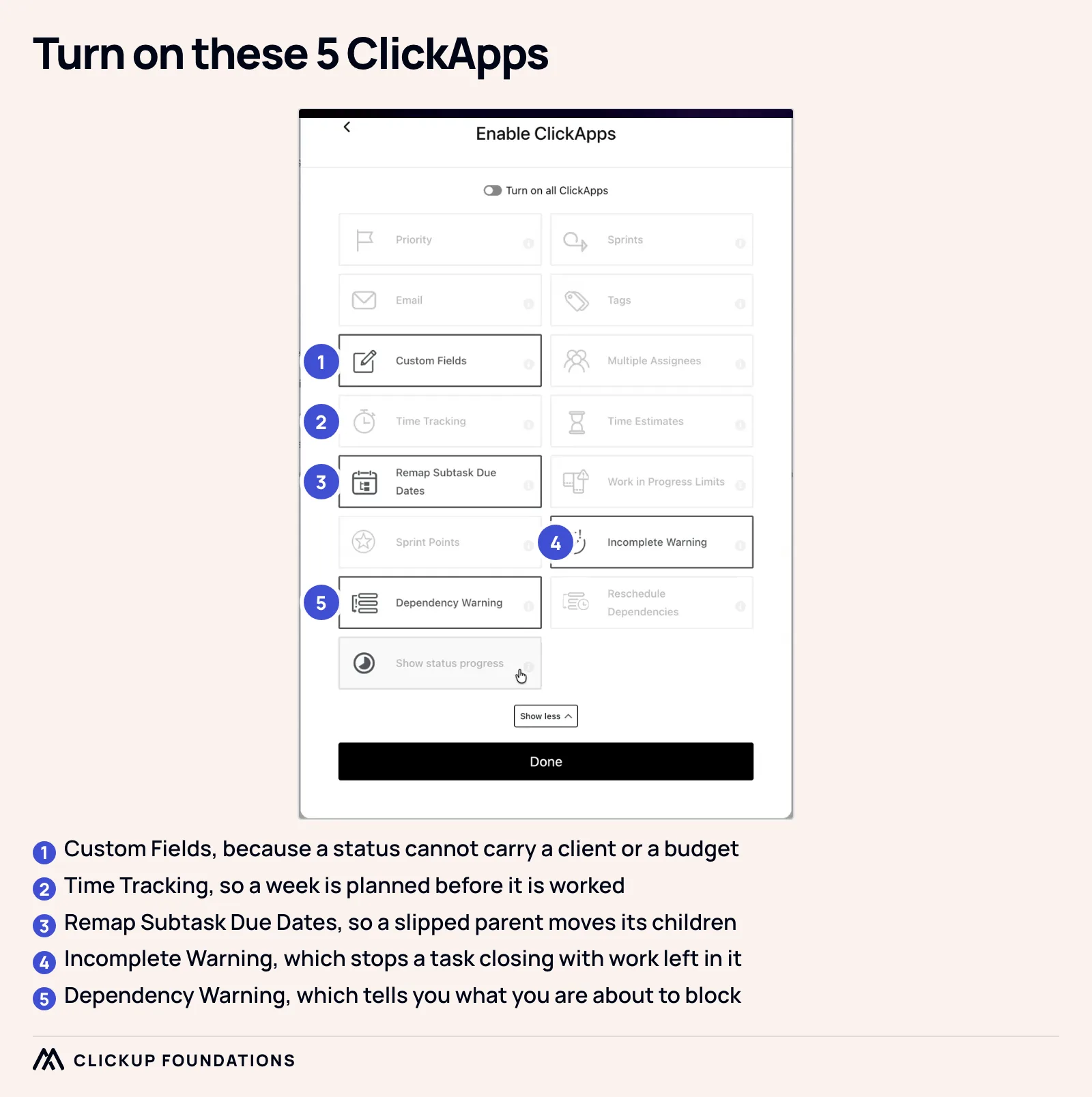
Settings to change on day one
Turn off the noise and switch on 5 ClickApps, so your team keeps opening ClickUp.
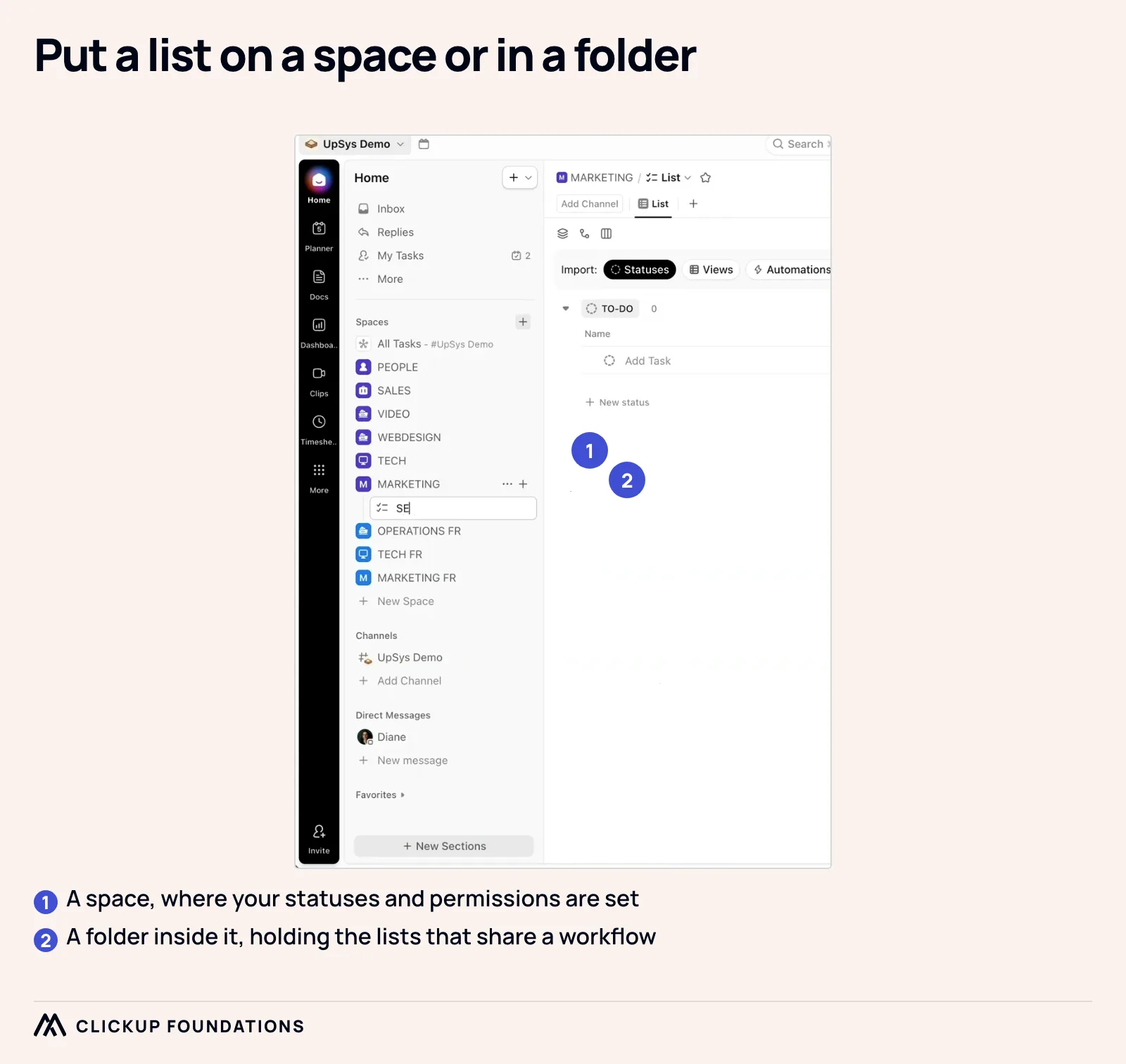
Spaces, folders and lists
One space per area of work and one list per project, so every client's work has one home.
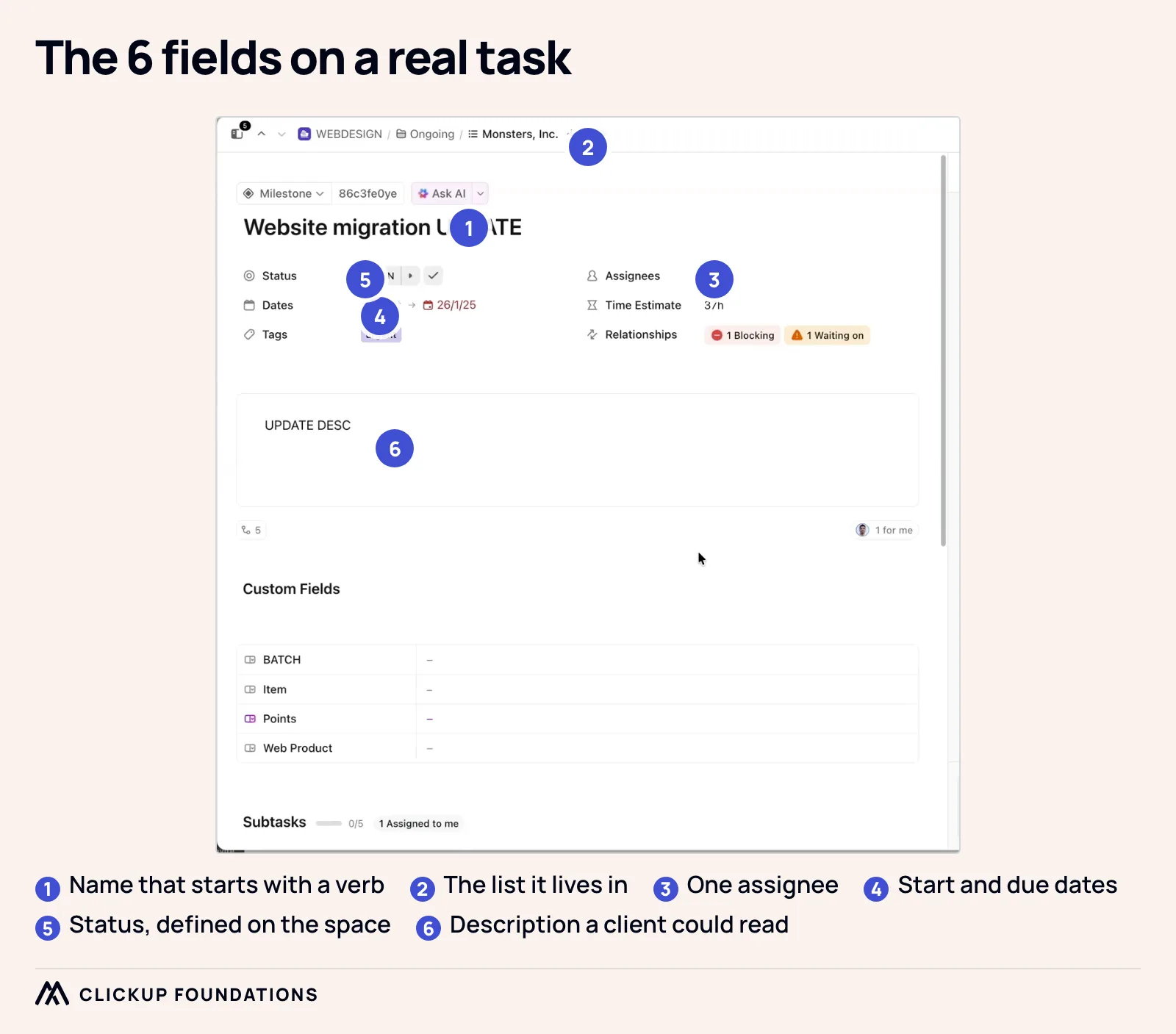
A task anyone can pick up
A verb name, one owner, dates and a description, so work stops waiting on a question to you.
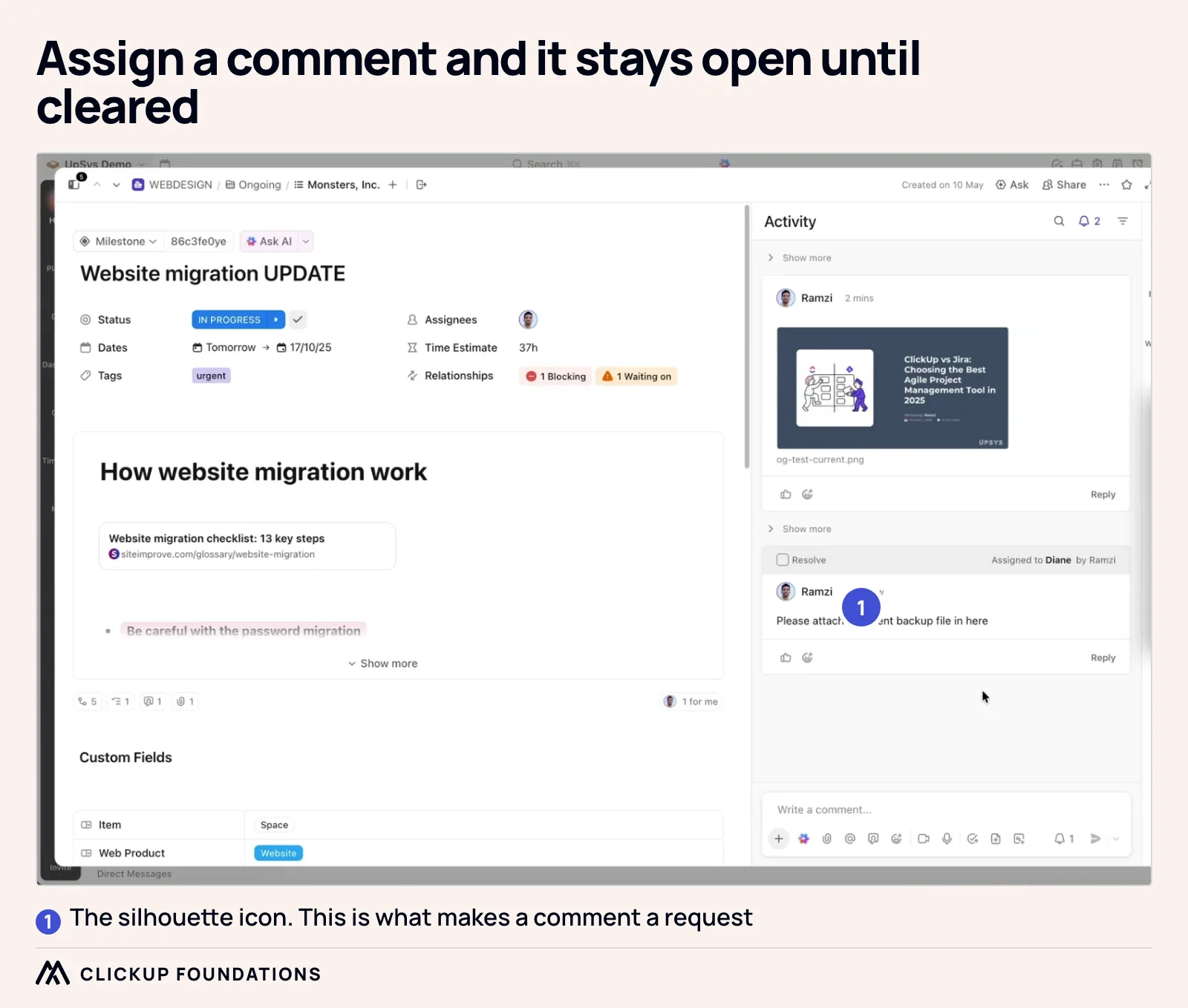
Assigned comments
Assign the comment when you need something back, and clear the inbox twice a day.
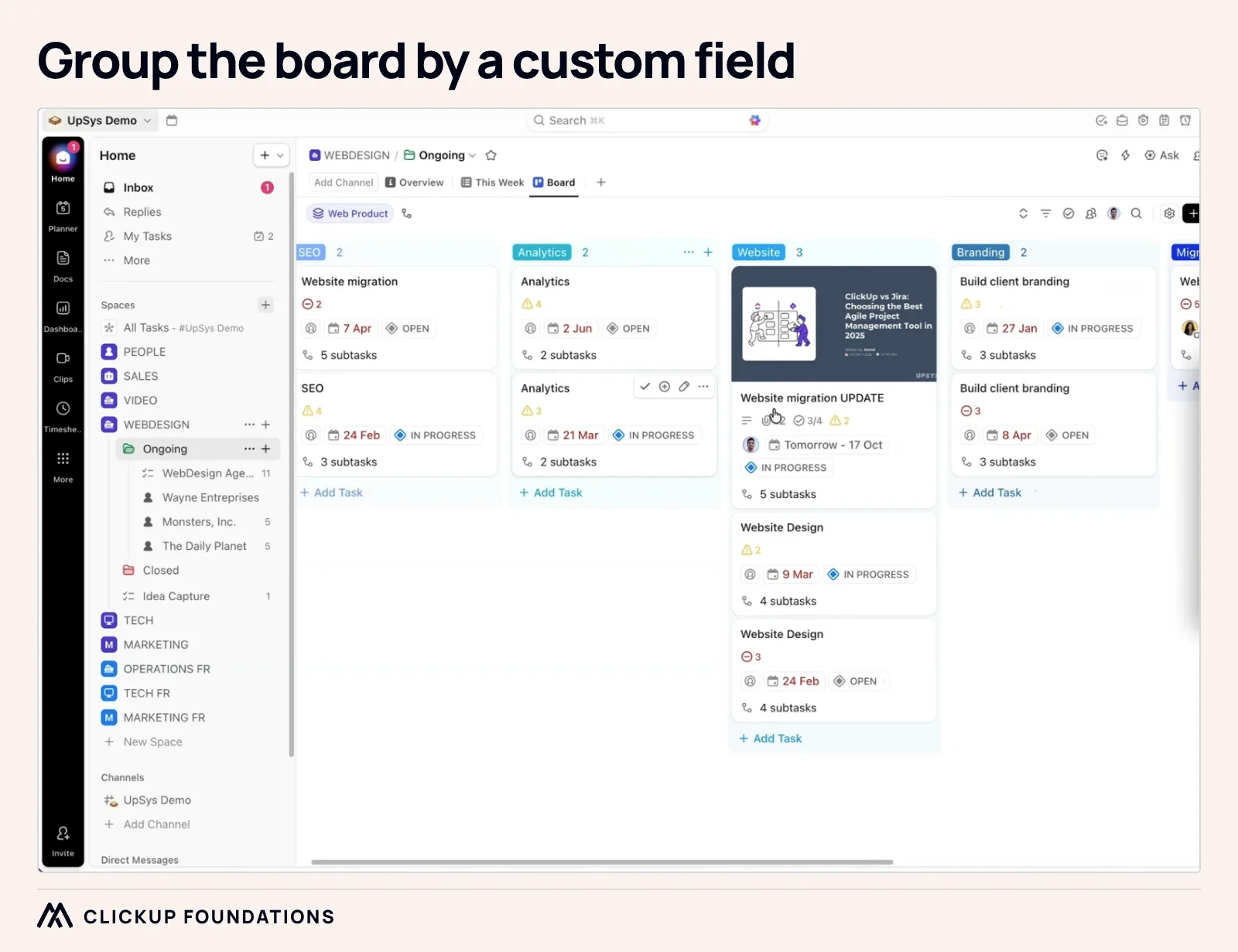
Fields and views
5 custom fields at most, each with a view grouped by it, so each client's status sits in one column.
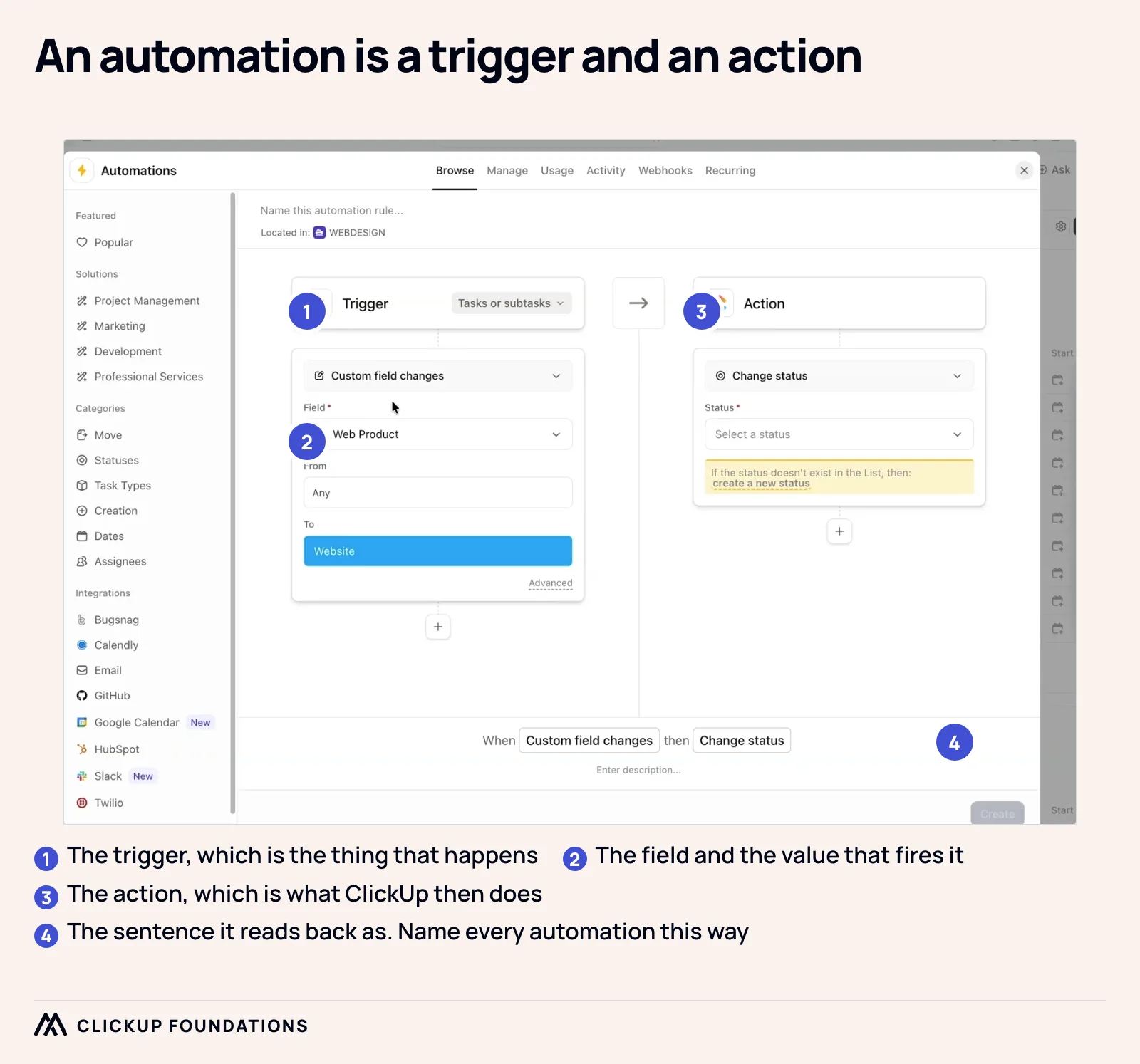
A template and 2 automations
Save one project template and let ClickUp change the status when a field changes.
The author

I've configured 30+ ClickUp workspaces for teams from 3 to 200 people, agencies like Brut and Joi Gaming among them. The same 5 mistakes show up in almost every self-built setup I open. This guide is how I avoid them on paid engagements.
Ramzi Tabka
UpSys founder & ClickUp expert
Before you sign up
Is the guide really free?
How much time per day?
Do I need a paid ClickUp plan?
I already use ClickUp. Will this still help?
What happens after I submit my email?

Rather have us check your workspace?
The audit scores your workspace on 6 areas, from hierarchy to automations, and ends on a fix list in priority order. 2 weeks, from $900. The report is yours, whether we make the fixes or you do.