

Build Your Own Software
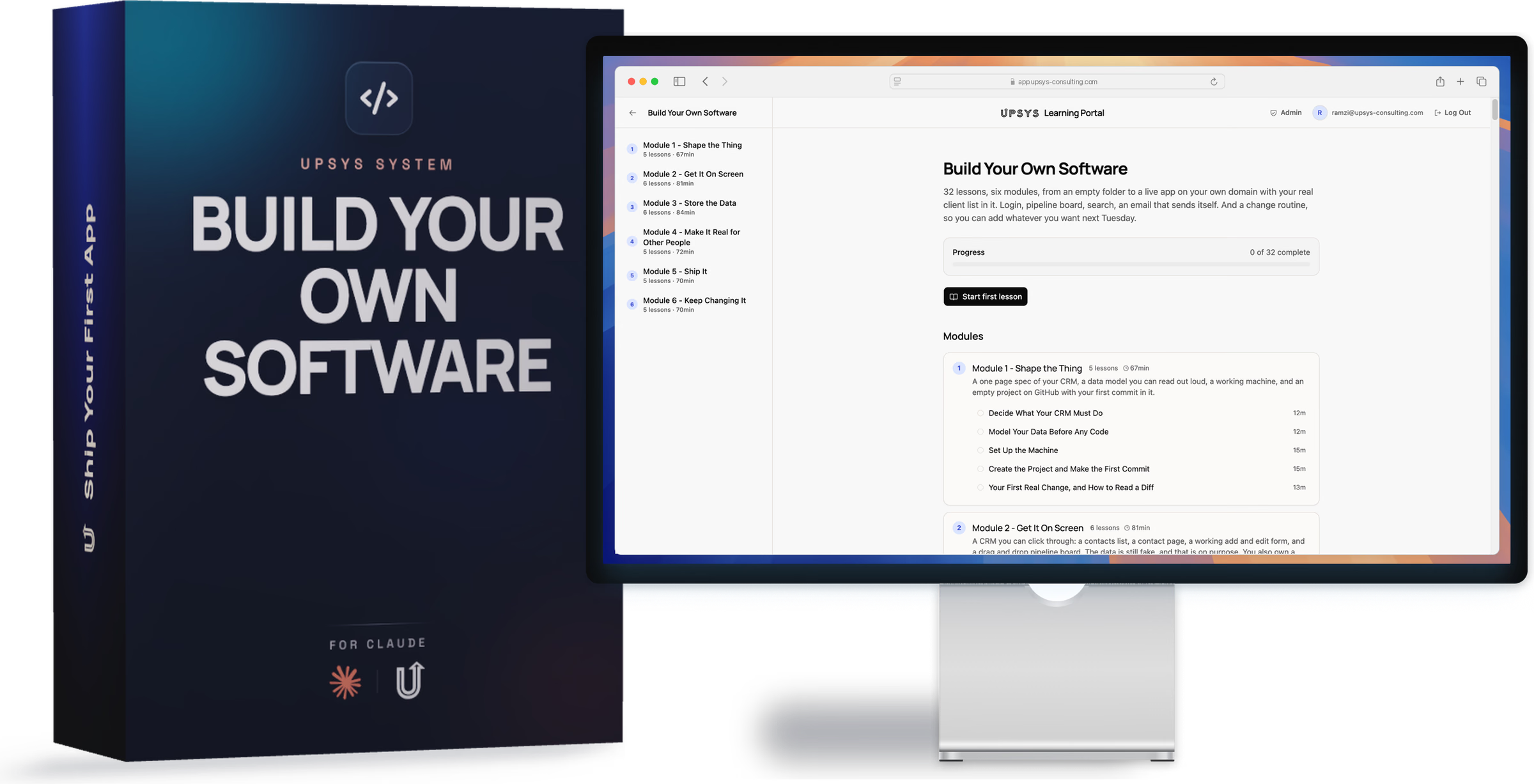
32 lessons, six modules, from an empty folder to a live app on your own domain with your real client list in it. Login, pipeline board, search, an email that sends itself. And a change routine, so you can add whatever you want next Tuesday.
What you'll learn
- Module 1 · Shape the Thing. You finish with PRODUCT.md and DATA.md, two short files in your own words that Claude builds against for the rest of the course. Then your machine set up, a project running in your browser, and a first commit on GitHub. Five lessons, and by the end you can read a diff and say no to one.
- Module 2 · Get It On Screen. A contacts list, a contact page, add and edit forms with real error states, and a drag and drop pipeline board. The data is still fake, on purpose, because screens are cheap to change and databases are not. You also break the app deliberately and get it back in under a minute, then write the CLAUDE.md that stops Claude re deciding your conventions every session.
- Module 3 · Store the Data. A real Postgres database behind every screen. Contacts, deals, and notes linked correctly, saving that survives a browser restart, search across two tables, and your own client list imported from CSV with a dry run report first. This is the module where the toy phase ends.
- Module 4 · Make It Real for Other People. A login on the front, row level security in the database, and a second account you test it with. Claude connected to your live database over MCP, read only, so it stops guessing at your schema. Hooks that format and type check every edit without being asked. And the stale deal digest that emails itself every Monday.
- Module 5 · Ship It. Your CRM live on your own domain with HTTPS. Four subagents reviewing security, error handling, dead code, and accessibility in parallel before anyone else logs in. Loading, empty, and error states on every screen. A rollback routine for the day production misbehaves, and a backup you have actually restored.
- Module 6 · Keep Changing It. The routine that makes this a tool rather than a project. The full change loop with preview URLs, two changes in flight at once using git worktrees, safe database migrations on live data, and a SKILL.md that teaches any fresh Claude session how your CRM is built. The last lesson is where the line is: what to build yourself, and what to hand to someone else.
What others say
 Melanie Das
 The team went above and beyond, from automations to SOPs and walk-through videos. It really felt like white-glove service, and I've already saved hours getting new hires up to speed.
 Mark Robinson
 UpSys helped us improve our system and actually make the transition to ClickUp, which we had been trying to do for a long time. They delivered what we were looking for, were flexible and supportive, and fixed a lot of problems and complexities from previous...
 Fabien CLEMENT
 We were looking for a powerful tool to plan our teams and monitor our activity that was user-friendly, dynamic, and easy to use. Our objective and the challenge we faced was to get our staff to adopt a new business management method in which they would become active...
 Guillaume Raullin
 I got in touch with Ramzi for some automation stuff, and his coaching really opened my eyes, especially about ClickUp's limits. He came up with a Make solution, and honestly, we're super happy: everything's running smoothly.
I took time to step back before writing this to fully assess both the solution and how it was implemented. Today, I can say I'm very satisfied. The solution clearly meets our needs. It removed several bottlenecks for our teams. ClickUp is now part of our daily routines.
 Valentin
 UpSys helped us transition from our previous project management tool, which wasn't fulfilling our video editing tracking needs, to ClickUp. The changeover was smooth and efficient, and the team quickly adapted to the new tool.
Common questions
Do I need to know how to code?
Is it really my software?
What does it cost to run once it is live?
What if it doesn't work for us?

Join the waitlist
Build your CRM one working piece at a time and put it live on your own domain.
This is built and priced. The lessons are still being recorded, so it is not on sale yet. Leave your email and you will hear the day it opens, before anyone else.