

Get every ClickUp word in one page
Workspace, space, folder, list, task, status, field, view. What each one means, and the rule that stops your workspace turning into a maze.
60+ terms on one page. The link lands in your inbox in a minute.
A free cheat sheet from UpSys
ClickUp Cheat Sheet
Workspace to subtask on one page, and the rule that keeps a workspace clean.
- 60+ terms
- 1 page
- A ClickUp Doc
For  ClickUp
What's on the page
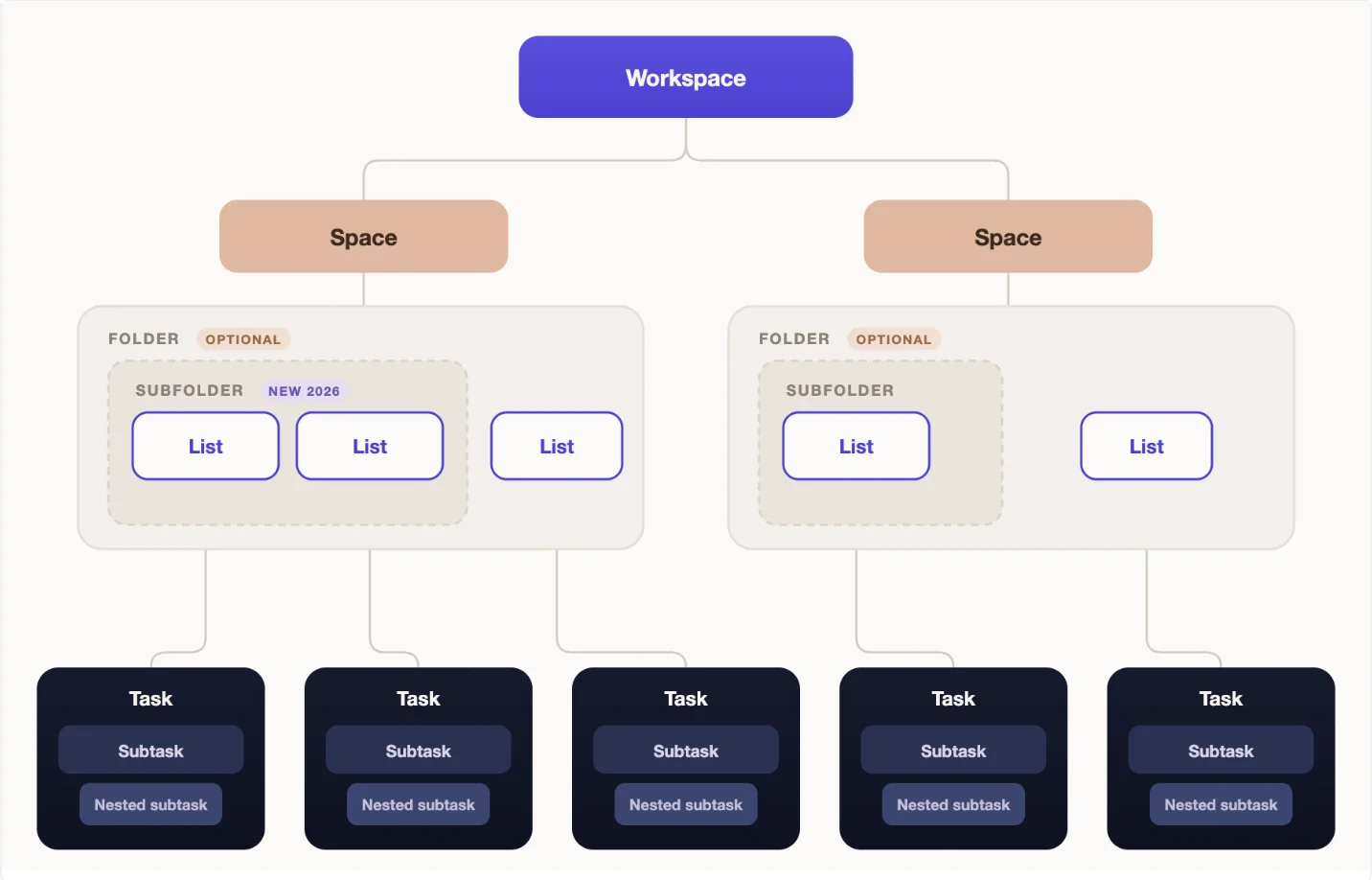
The hierarchy
Where a new client goes, before you build a space you'll have to undo.
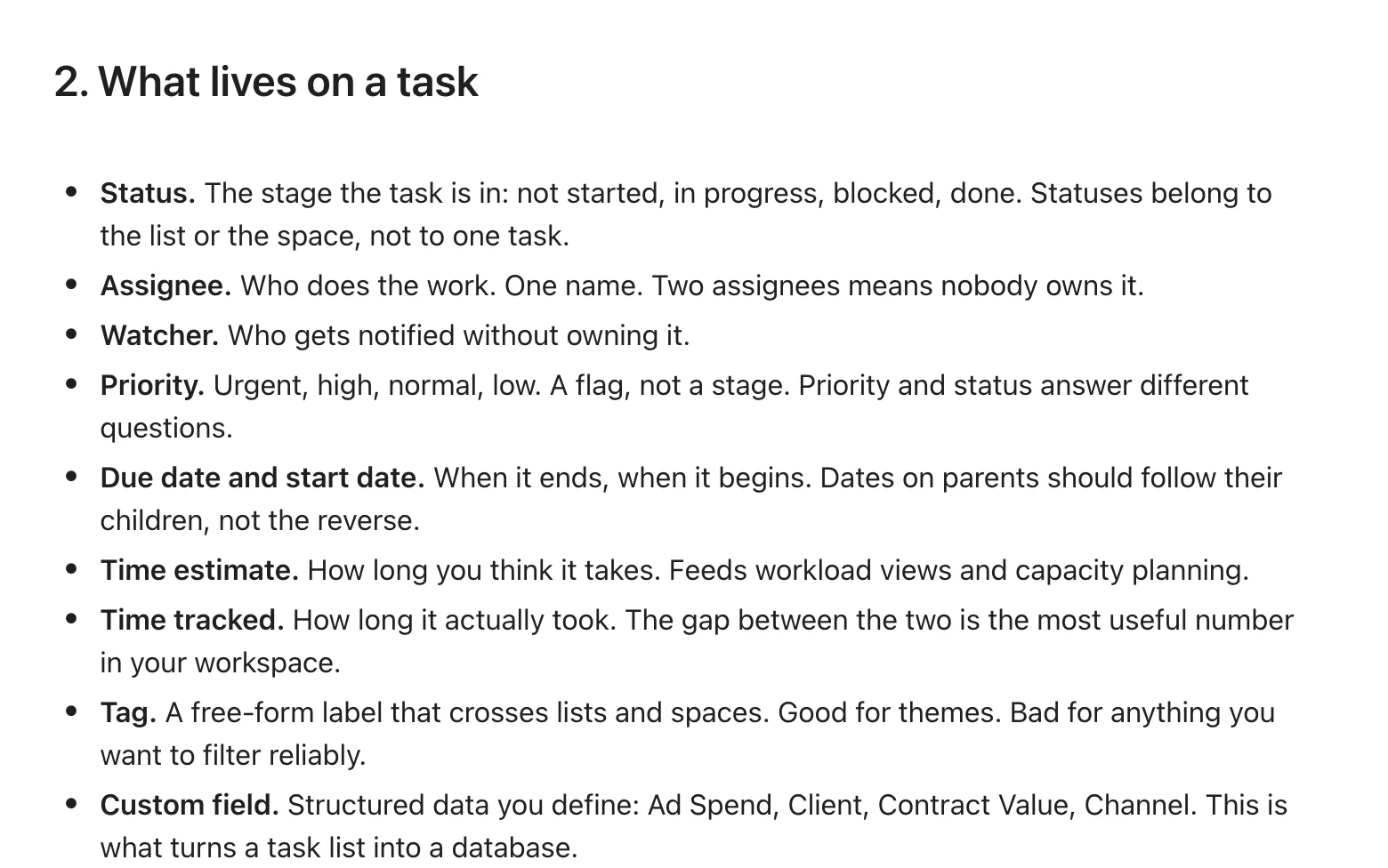
Task fields
Which fields to fill, and which ones feed your capacity planning.
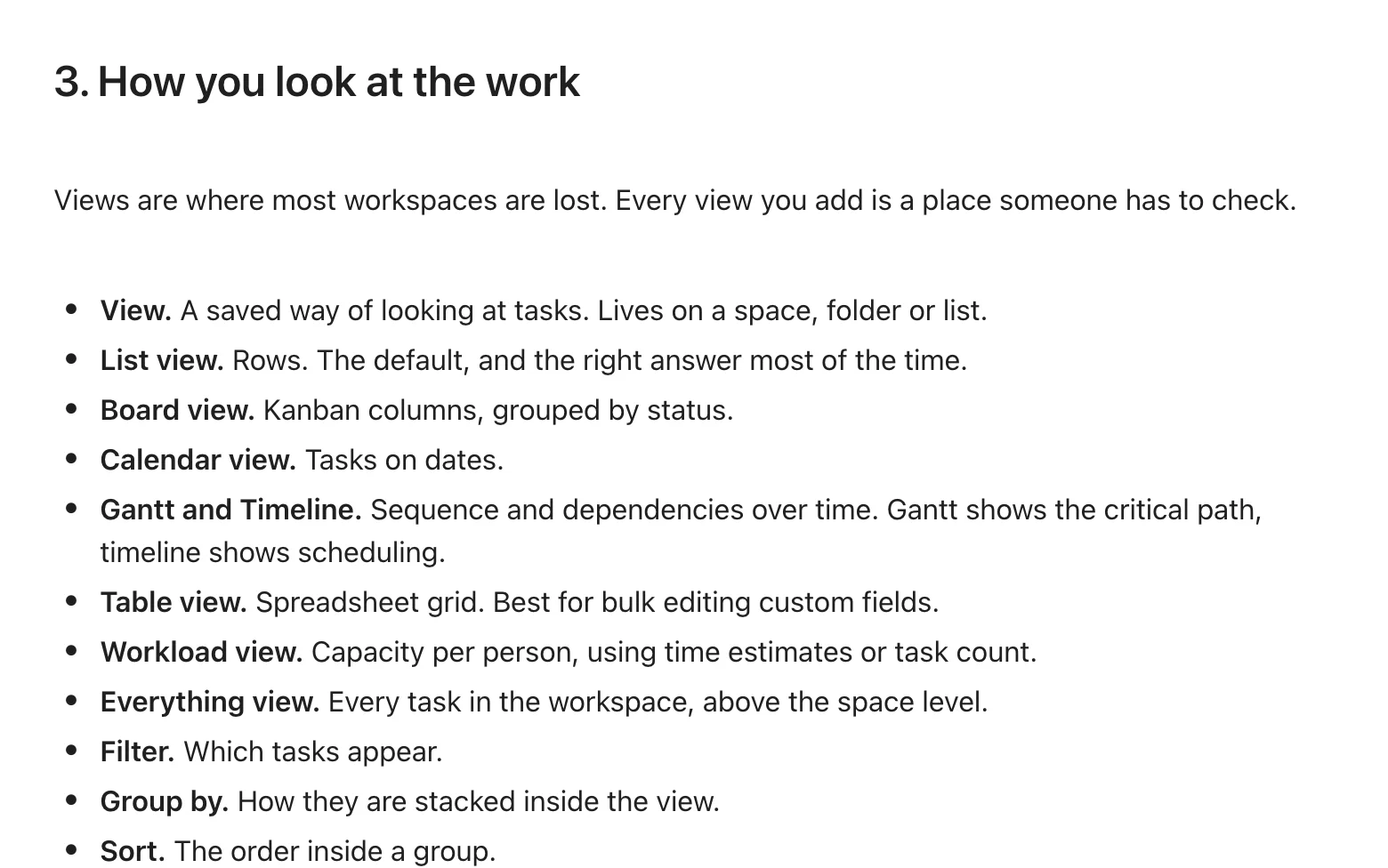
Views
List, board, table, workload: the job of each. Keep 1 or 2 per level and the team knows where to look.
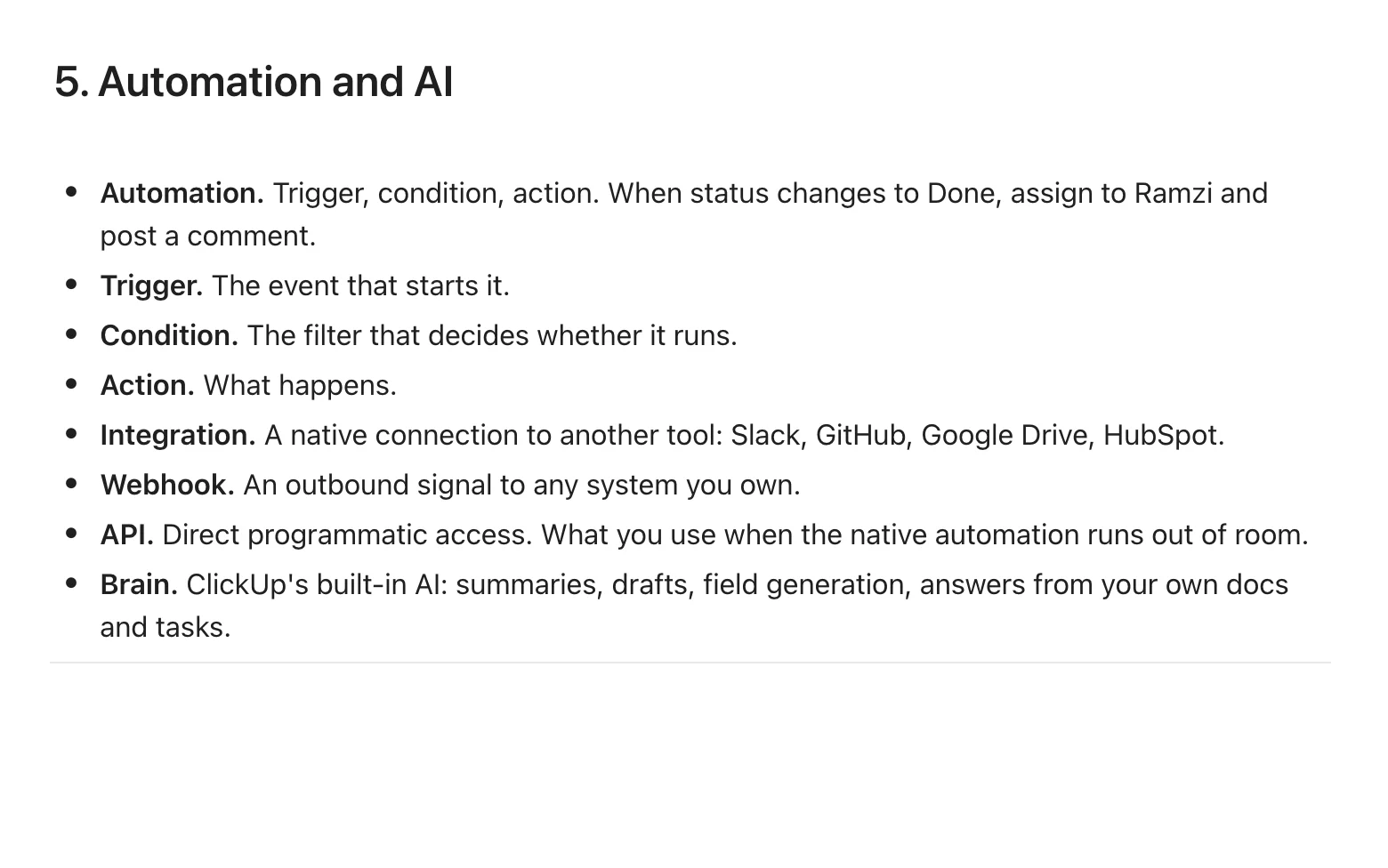
Automation and AI
Trigger, condition and action, and where ClickUp stops and the API starts.
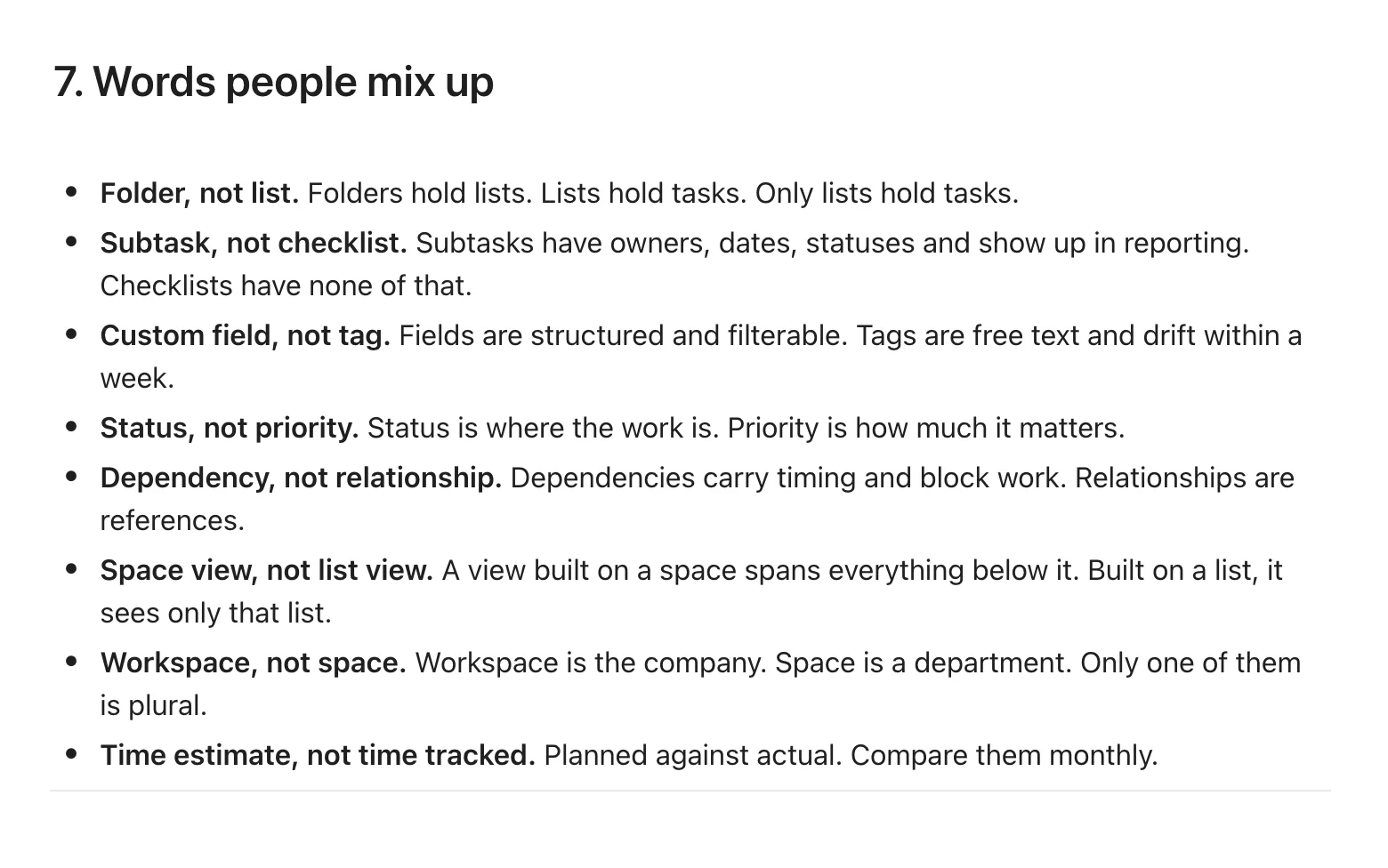
Words people mix up
The 8 pairs new teams confuse, like folder and list, or field and tag.
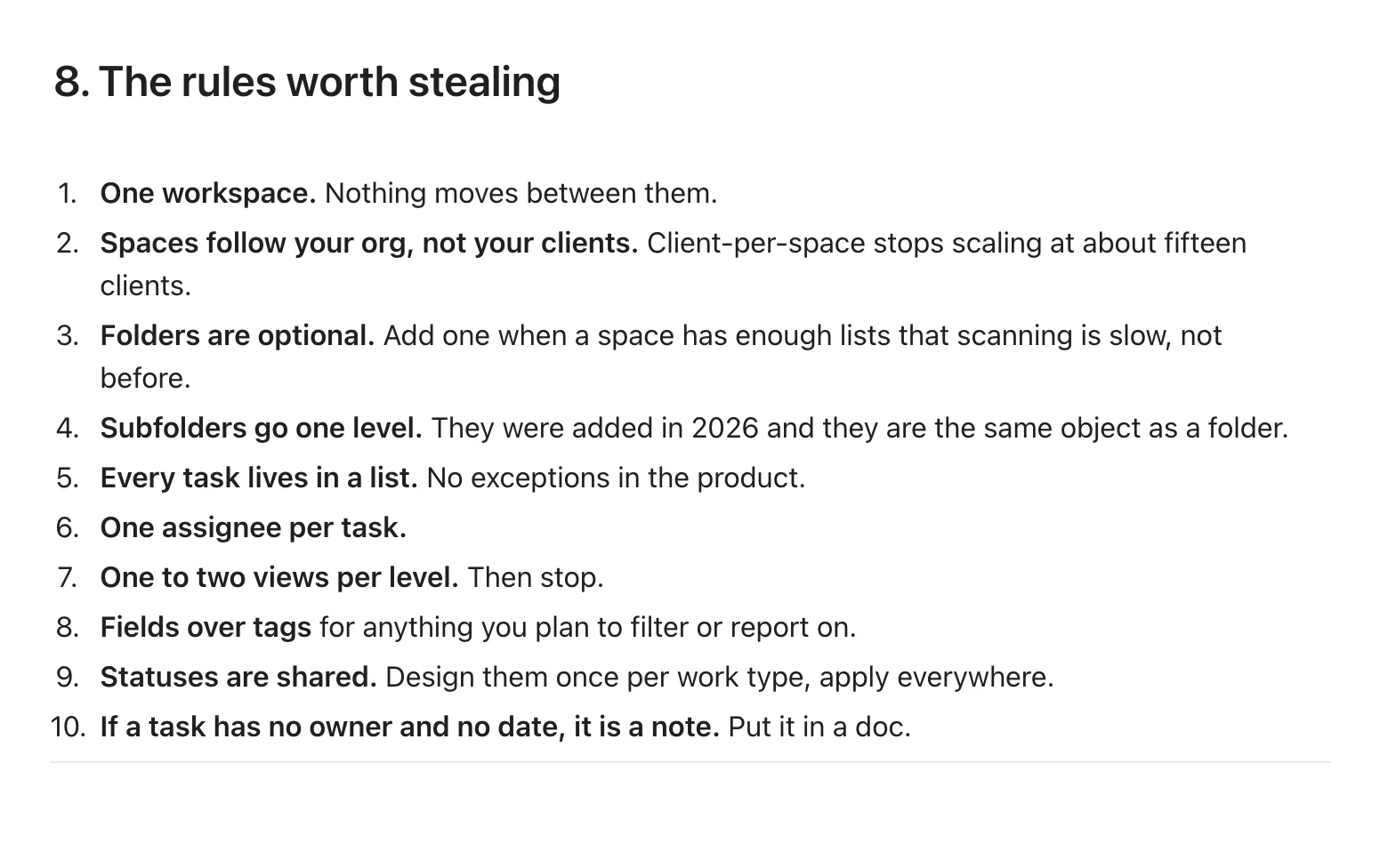
The rules worth stealing
Keep these 10 and the workspace stays clean as you add clients.